


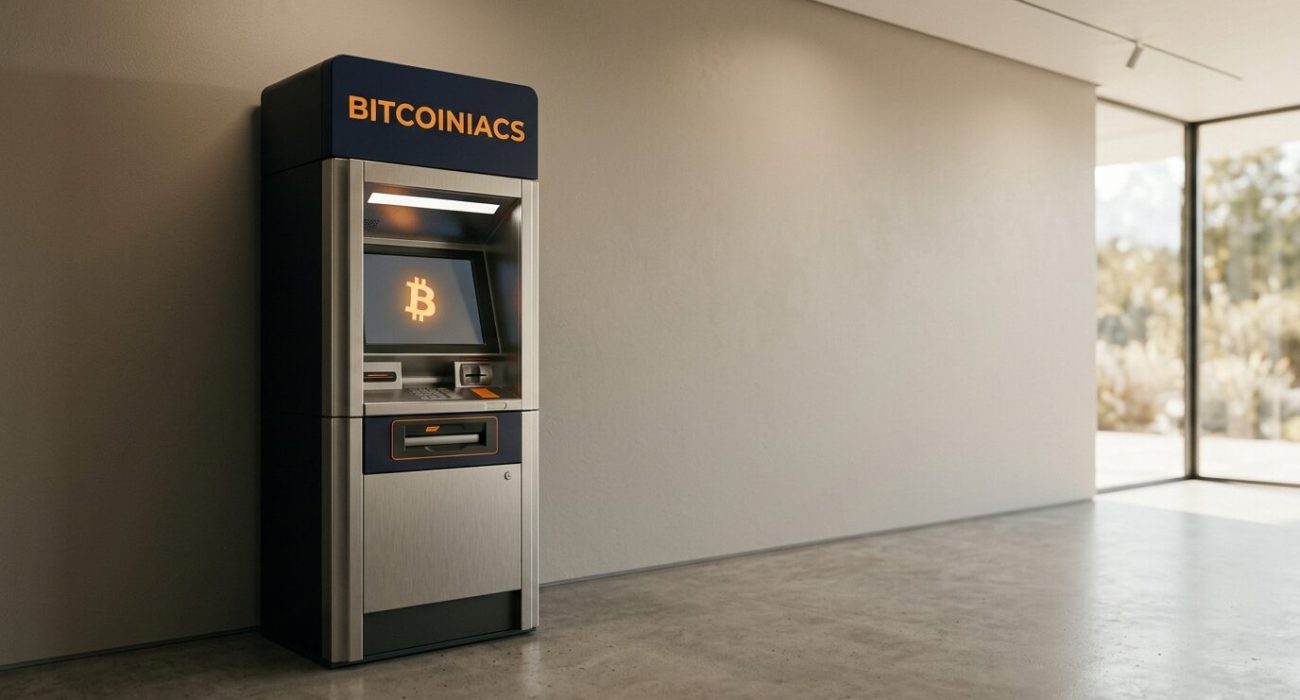
Buy Bitcoin in North Vancouver without opening a conventional trading account by visiting a local Bitcoiniacs Bitcoin ATM. The machine at 153 E 3rd St #151 gives North Shore residents a practical way to turn Canadian cash into Bitcoin and send it directly to a wallet they control. This guide explains what to prepare, how the ATM purchase works, what to check before confirming the transaction, and how to avoid the scams that often target first-time buyers. Whether you are making a small first purchase or adding Bitcoin to an existing wallet, a few minutes of preparation can make the visit quicker and reduce costly address or payment mistakes.
Table of Contents
- Buy Bitcoin in North Vancouver at the Local Bitcoiniacs ATM
- What You Need Before You Visit
- How to Buy Bitcoin at the ATM Step by Step
- Fees, Safety and Transaction Records
- Frequently Asked Questions
Buy Bitcoin in North Vancouver at the Local Bitcoiniacs ATM
The local North Vancouver Bitcoin ATM is located at 153 E 3rd St #151, North Vancouver, BC V7L 1E5. It is a buy-only machine, so customers can purchase Bitcoin with cash and receive it in their own Bitcoin wallet. The terminal does not offer cash withdrawals or Bitcoin sales at this location. Check the location listing before leaving in case access details change.
Why use a local Bitcoin ATM?
A Bitcoin ATM is useful when you prefer a physical cash purchase, want the Bitcoin sent to a self-custody wallet, or do not want to wait for a bank transfer to clear on an online platform. The experience is closer to using a payment kiosk than a bank ATM: you choose a purchase amount, provide the required verification, scan a wallet address, insert cash, review the quoted amount, and confirm.
North Shore users who need other purchase options can also review how to buy Bitcoin in Vancouver. The important distinction is that a Bitcoin ATM does not create a conventional bank account or hold your coins after purchase. The Bitcoin is sent to the address you provide, making wallet preparation your responsibility.
What a regulated Canadian operator does
Canadian virtual-currency ATM operators are treated as money services businesses. FINTRAC’s virtual-currency ATM advisory explains that operators have registration, record-keeping, identity-verification and compliance obligations. That is why a legitimate machine may request information even though Bitcoin itself operates on an open network.
What You Need Before You Visit
Set up a wallet that can receive Bitcoin
Install a reputable Bitcoin wallet on your phone before going to the ATM. Complete the wallet’s backup process in private, record the recovery words exactly as instructed, and never photograph or share them. Your recovery phrase can control every coin in that wallet. Bitcoiniacs staff, ATM support, police, government agencies and legitimate investment professionals will never need it.
Open the wallet’s receive screen and make sure it displays a Bitcoin address and QR code. Do not scan a QR code sent by a stranger, an online romantic interest, a supposed employer or a caller claiming you owe money. The federal Financial Consumer Agency of Canada crypto-asset guide notes that users need a digital wallet to receive crypto assets and should understand the risks before buying or using them.
Bring cash and be ready for verification
Bring Canadian cash for the amount you intend to purchase, but leave room in your budget for the service fee shown by the machine. Depending on the transaction and compliance requirements, you may need a working mobile phone and valid identification. If you plan to use Bitcoiniacs more than once, completing Bitcoiniacs registration in advance can reduce uncertainty about the verification process.
Do a small address check first
Bitcoin transactions cannot be reversed like a credit-card charge. Before scanning anything, compare the wallet name, network and the first and last characters of the receiving address. If your wallet supports several assets, confirm you are on Bitcoin’s main network rather than a different coin or token network. For a first purchase, choosing a modest amount can help you learn the process without taking unnecessary risk.
How to Buy Bitcoin at the ATM Step by Step
Follow the on-screen purchase flow
- Choose the buy option. Confirm that the screen identifies the transaction as a Bitcoin purchase.
- Complete verification. Enter the requested phone or identity information accurately. Requirements can vary with transaction size and current compliance rules.
- Scan your wallet QR code. Hold your own receive QR code in front of the scanner. Never use a code supplied by someone who is directing you over the phone.
- Review the address. Compare the destination shown on the ATM with the address in your wallet before inserting cash.
- Insert Canadian bills. Add cash only after checking the quoted Bitcoin amount, exchange rate, service fee and any network charge displayed by the machine.
- Confirm and keep the receipt. Finish the purchase, save the receipt and note any transaction identifier or support reference.
Check the transaction in your wallet
Your wallet may show an incoming transaction before it has a blockchain confirmation. That is normal. Confirmation time changes with Bitcoin network activity, and some wallets refresh more slowly than others. Do not repeat the purchase just because the balance is not immediately marked final. First refresh the wallet, check the receipt, and use the transaction ID in a reputable Bitcoin block explorer if one is provided.
The Canadian-dollar value of Bitcoin can move while a transaction is being processed. Review live crypto prices before you leave home, but treat the ATM’s final on-screen quote as the price that matters for your purchase. A public market price and an operator’s retail quote are not the same thing because the retail transaction can include service and network costs.
Fees, Safety and Transaction Records
Understand the full cost before confirming
Reddit users regularly ask why the Bitcoin received from an ATM is worth less than the cash inserted. The difference can include the operator’s service fee, the spread between the quoted price and a reference market price, and a blockchain network fee. Compare the final Bitcoin amount with the cash total on the confirmation screen. If the numbers do not make sense, cancel before inserting money and ask official support for clarification.
Stop immediately if anyone is coaching you
Never buy Bitcoin at an ATM because a caller says your bank account, taxes, immigration status, utilities or computer are in danger. Do not pay a romantic interest, an online seller demanding Bitcoin only, or an investment promoter promising guaranteed returns. The BC Securities Commission’s crypto-scam warning highlights pressure to buy, unsolicited offers and guaranteed returns as major red flags. Once Bitcoin reaches a scammer’s wallet, recovery is unlikely.
Keep purchase records
Save the receipt, date, Canadian-dollar amount, Bitcoin amount, fees, destination address and transaction ID. These details help with support questions and future tax calculations. The CRA’s crypto-asset tax guidance covers record keeping, valuation and reporting obligations. Buying and holding is different from disposing of Bitcoin, but complete records make it easier to calculate gains or losses when a taxable disposition eventually occurs.
Frequently Asked Questions
Is it worth buying Bitcoin from an ATM?
It can be worthwhile when you value a local cash purchase and direct delivery to your own wallet. The trade-off is that ATM pricing may be higher than an online order. Review the complete on-screen quote, consider your reason for using cash, and never buy more than you can afford to lose.
Do Bitcoin ATMs require ID or KYC for small purchases?
Verification requirements depend on the operator, transaction size and Canadian compliance rules. A legitimate ATM may request a mobile number, identity details or government-issued identification. Do not assume a physical cash transaction is anonymous. Follow the machine’s current instructions and use only your own accurate information.
How long does a Bitcoin ATM transaction take to reach a wallet?
An incoming transaction may appear quickly, while blockchain confirmation can take longer when the network is busy. Wallets also differ in how often they refresh and how many confirmations they require. Keep your receipt and transaction ID. If nothing appears after a reasonable wait, contact the operator through the official support channel.
Why did I receive less Bitcoin than the cash amount I inserted?
The final amount can reflect a service fee, the operator’s quoted exchange rate and a network charge. Look at the Bitcoin total before confirming rather than comparing only the cash amount with a price seen elsewhere. The ATM should present the applicable quote so you can accept or cancel before payment.
What should I do if the Bitcoin does not appear in my wallet?
First refresh the correct wallet and confirm that you scanned its Bitcoin receive address. Check the receipt for a transaction ID and look it up on a trusted block explorer. Do not make a second purchase to “unlock” the first. If the transaction cannot be found or the destination is wrong, contact official Bitcoiniacs support with the receipt details.
To buy Bitcoin in North Vancouver with fewer surprises, prepare your wallet, use only your own address, review every fee and keep your receipt. The Bitcoiniacs ATM at 153 E 3rd St #151 offers a straightforward local purchase option, but the security decision remains yours: never let a stranger choose the wallet and never proceed under pressure.