


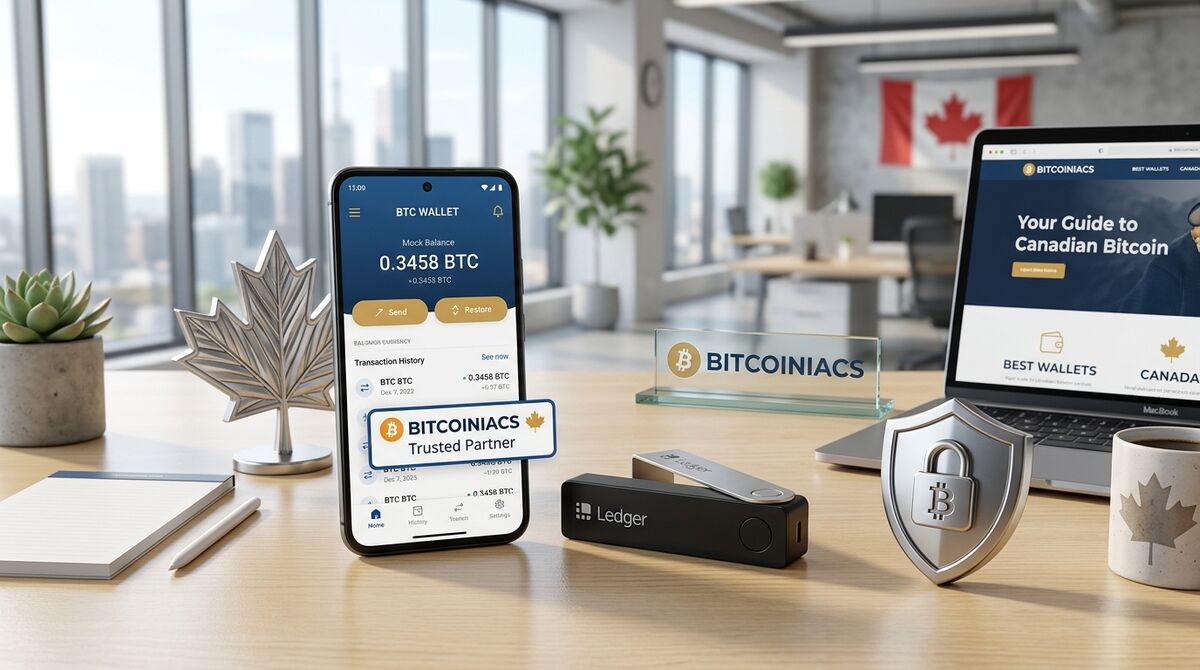
You’ve bought Bitcoin, now where do you put it? It’s the single most common question asked by new Canadian crypto buyers, and the answer matters more than most people realize. Choosing the best Bitcoin wallet in Canada for 2026 isn’t just about convenience. It’s about whether your funds are actually under your control, whether they’re protected from hacks and scams, and whether you can access them when you need them. This guide walks through everything you need to know to make the right choice, from hardware wallets to mobile apps, cold storage to hot wallets, and the specific considerations that matter for Canadian users.
We’ll cover what a Bitcoin wallet actually does, the critical differences between wallet types, specific recommendations for Canadian users, and a step-by-step setup walkthrough. If you’re holding more than a few hundred dollars in Bitcoin, or planning to, the next five minutes of reading could save you from the kind of loss that happens far too often in crypto.
Table of Contents
- What a Bitcoin Wallet Actually Does
- Hardware Wallets vs Software Wallets: The Real Difference
- The Best Bitcoin Wallets for Canadians in 2026
- How to Set Up Your First Bitcoin Wallet
- Security Best Practices Every Bitcoin Owner Should Follow
- Frequently Asked Questions
What a Bitcoin Wallet Actually Does
Before comparing wallets, it’s worth understanding what they actually are, because the mental model most people have is wrong. A Bitcoin wallet doesn’t “hold” your Bitcoin the way a physical wallet holds cash. Bitcoin exists entirely on the blockchain, a public ledger distributed across thousands of computers worldwide. What your wallet actually holds are your private keys: cryptographic codes that prove you own the Bitcoin at a given address and allow you to spend it.
Think of it this way: the blockchain is a giant public safety deposit box wall where every box is transparent and everyone can see what’s inside each one. Your private key is the only key that opens your specific box. Lose the key, and the contents are locked forever, visible but inaccessible. Whoever holds the private keys controls the Bitcoin. This is why wallet choice matters so much: different wallet types handle your private keys in fundamentally different ways, with significantly different security implications.
Every wallet also generates a seed phrase, typically 12 or 24 random words, which acts as a master backup of all your private keys. If you lose your wallet device or app, the seed phrase lets you restore everything. This also means that anyone who gets your seed phrase gets your Bitcoin. Guard it accordingly.
Hardware Wallets vs Software Wallets: The Real Difference
Bitcoin wallets come in two fundamental categories, and the distinction comes down to one question: are your private keys ever exposed to an internet-connected device?
Hardware Wallets (Cold Storage)
A hardware wallet is a physical device, typically a small USB-like gadget with a screen and buttons, that stores your private keys offline. When you want to send Bitcoin, you connect the device to your computer or phone, confirm the transaction on the device’s screen, and the device signs the transaction internally without ever exposing your private keys to the internet-connected host. Even if your computer is riddled with malware, the keys stay safe on the isolated hardware.
Hardware wallets are the gold standard for anyone holding more than a few hundred dollars in Bitcoin. The trade-off? They cost money (typically $80–$200 CAD) and add a small amount of friction to every transaction, you need the physical device in hand to send funds. For long-term holders who aren’t trading daily, this is the right trade-off.
Software Wallets (Hot Storage)
Software wallets, mobile apps, desktop programs, or browser extensions, store your private keys on a device that’s connected to the internet. They’re far more convenient for frequent transactions, smaller amounts, and everyday use. The risk is that your keys live on a device that could be compromised by malware, phishing, or physical theft.
For Canadians who actively use Bitcoin, for example, buying regularly through a Bitcoin exchange in Canada or selling when they need cash, a software wallet serves as a practical spending account. The rule of thumb: keep what you’re actively using in a software wallet, and move the bulk of your holdings to cold storage.
Exchange Wallets: The Third Option You Should Avoid
When you buy Bitcoin on an exchange, it typically sits in a custodial wallet controlled by the exchange, not by you. This means you don’t have the private keys. The exchange holds them. If the exchange gets hacked, goes bankrupt, freezes your account, or faces regulatory action, your Bitcoin is at risk. The crypto industry’s history is littered with exchange collapses, FTX, QuadrigaCX (a Canadian disaster), and many more. The phrase “not your keys, not your coins” exists for a reason.
An exchange or a regulated cryptocurrency exchange is a place to buy and sell, not a place to store. Once your purchase clears, move your Bitcoin to a wallet you control.
The Best Bitcoin Wallets for Canadians in 2026
Here’s what the landscape looks like for Canadian Bitcoin users specifically. These recommendations focus on security track records, ease of use, and availability in Canada.
Top Hardware Wallets
Trezor Safe 5, Open-source firmware, large touchscreen, supports Bitcoin-only mode for reduced attack surface. Widely trusted and available for purchase in Canada through official distributors. The open-source code means security researchers can audit it independently, a significant trust advantage over closed-source competitors.
BitBox02 Bitcoin-Only Edition, A Swiss-made hardware wallet with a Bitcoin-only firmware option. Simple setup, compact design, microSD backup capability. The Bitcoin-only edition strips out altcoin support, dramatically reducing the code that could contain vulnerabilities. Excellent choice for Bitcoin purists.
Coldcard Mk4, Built by Canadian company Coinkite, the Coldcard is arguably the most security-focused hardware wallet available. It’s Bitcoin-only, supports air-gapped operation (never connects to a computer at all, you sign transactions via SD card), and includes advanced features like duress PINs and decoy wallets. It’s less beginner-friendly than a Trezor but offers the highest security ceiling for serious holders.
Top Mobile Wallets
Blockstream Green, Open-source, Bitcoin-only mobile wallet with multisig support and built-in two-factor authentication. Clean interface that’s approachable for beginners. Supports both on-chain and Lightning Network transactions, making it versatile for both storage and spending.
BlueWallet, A popular open-source Bitcoin wallet with a strong Canadian user base. Supports Lightning Network, watch-only wallets (for monitoring cold storage), and customizable transaction fees. The interface is polished and the app is well-maintained with regular security updates.
Nunchuk, Built with multisig as a first-class feature, Nunchuk is ideal for users who want to set up shared wallets (e.g., requiring two of three keys to spend). Excellent for couples, families, or small businesses managing Bitcoin together. Available on both iOS and Android in Canada.
How to Set Up Your First Bitcoin Wallet
Setting up a wallet correctly is just as important as choosing the right one. Here’s a step-by-step walkthrough for both hardware and mobile wallets.
Hardware Wallet Setup
- Buy from the official manufacturer, never from a third-party seller on Amazon or eBay. Counterfeit hardware wallets exist, and they’re designed to steal your Bitcoin. Purchase directly from Trezor.io, BitBox.swiss, or Coinkite.com.
- Check for tampering, when the device arrives, verify that the holographic seal is intact. The device should prompt you to generate new keys during setup, if it arrives with pre-configured keys or a pre-printed seed phrase, it’s compromised.
- Generate your seed phrase offline, follow the device’s on-screen instructions. Write down the 12 or 24 words on the included card or a piece of paper. Never type your seed phrase into a computer, take a photo of it, or store it in a password manager.
- Store the seed phrase securely, paper can burn, fade, or get lost. Consider a metal seed backup (stamping the words into steel) for fire and water resistance. Store it somewhere only you can access.
- Install the companion app, use the official Trezor Suite, BitBoxApp, or Coldcard’s companion software to interact with your device. Download only from the manufacturer’s website.
- Send a test transaction, transfer a small amount of Bitcoin (e.g., $20 worth) from your exchange or existing wallet to your new hardware wallet. Confirm it arrives, then try sending a small amount back. This builds confidence that everything works before you move larger sums.
Mobile Wallet Setup
- Download from the official app store, Google Play or Apple App Store only. Verify the publisher name and download count to avoid fake apps.
- Write down your seed phrase immediately, the app will display a 12 or 24 word phrase during setup. Write it on paper. Do not screenshot it. Do not save it to cloud storage.
- Set a strong app PIN or biometric lock, most mobile wallets let you require a PIN or fingerprint to open the app. Enable this.
- Enable any additional security features, Blockstream Green supports two-factor authentication. BlueWallet allows you to set up a watch-only wallet for your hardware wallet, so you can monitor balances without exposing keys.
- Test with a small amount, same principle as the hardware wallet: send a small amount in first, verify it arrives, and confirm you can send it back out before committing larger funds.
Security Best Practices Every Bitcoin Owner Should Follow
Even the best wallet won’t protect you if your practices are sloppy. Here are the non-negotiable security habits that separate people who keep their Bitcoin from people who lose it:
- Never share your seed phrase with anyone. No legitimate wallet company, exchange, or support representative will ever ask for it. Anyone who does is trying to steal from you.
- Never store your seed phrase digitally. No text files, no cloud notes, no password managers, no photos. Paper or metal only. Digital storage creates an attack surface that defeats the purpose of cold storage.
- Use a passphrase (25th word) for large holdings. Most hardware wallets support an optional additional word you create yourself. Even if someone finds your seed phrase, they can’t access your funds without the passphrase. Just make sure you don’t forget it, there’s no recovery for a lost passphrase.
- Verify receiving addresses on the device screen. Malware can swap a Bitcoin address you copy-paste on your computer. Always confirm the address shown on your computer matches what’s displayed on your hardware wallet’s screen before sending.
- Keep your wallet firmware updated. Hardware wallet manufacturers regularly release security patches. Check for updates every few months through the official companion app.
- Split your holdings, keep spending money in a mobile wallet for convenience and the bulk of your holdings in cold storage. This is the crypto equivalent of keeping most of your money in a savings account and carrying a smaller amount in your checking account for daily use.
When you buy Bitcoin through a Bitcoin ATM or exchange, the Bitcoin typically gets sent directly to a wallet address you provide. Having your wallet set up and ready before you make a purchase means your Bitcoin goes straight to a secure destination, not sitting on an exchange while you figure out what to do next.
Frequently Asked Questions
Is a hardware wallet worth it if I only have a small amount of Bitcoin?
It depends on what “small” means to you. For holdings under $500 CAD, a reputable mobile wallet with good security practices is generally sufficient, the cost of a hardware wallet would be a significant percentage of your holdings. For anything above $1,000, a hardware wallet is strongly recommended. The $100–$200 investment protects against the permanent loss of a much larger amount. Think of it as buying a safe for your valuables, the safe costs less than what it protects.
Can I just leave my Bitcoin on the exchange?
You can, but you shouldn’t. When Bitcoin sits on an exchange, you don’t control the private keys, the exchange does. If the exchange is hacked (as has happened to QuadrigaCX, FTX, Mt. Gox, and dozens of others), goes bankrupt, or decides to freeze your account, your funds are at risk. Exchanges are for buying and selling, not for storing. After you sell Bitcoin or buy it, transfer your funds to a wallet you control.
What happens if I lose my hardware wallet?
Your Bitcoin isn’t stored on the device, it’s on the blockchain. If you lose or break your hardware wallet, you can buy a new one (any brand) and restore your funds using your seed phrase. The device is replaceable; the seed phrase is not. This is why seed phrase storage matters more than device storage. Never worry about losing the device, worry about losing the seed.
Do I need a different wallet for different cryptocurrencies?
Some wallets support multiple cryptocurrencies, while others are Bitcoin-only. Multi-coin wallets are convenient if you hold several cryptocurrencies, but they have a larger code footprint, more code means more potential vulnerabilities. Bitcoin-only wallets minimize the attack surface and are generally recommended for anyone whose primary holding is Bitcoin. If you mostly deal with Bitcoin through a Canadian exchange or ATM, a Bitcoin-only wallet is the safer choice.
How do I move Bitcoin from an ATM purchase to my wallet?
When you use a Bitcoin ATM, the machine asks for a destination address. Open your wallet app, tap “Receive,” and copy the Bitcoin address it displays. Provide that address at the ATM (usually by scanning a QR code from your phone screen). The Bitcoin will be sent directly to your wallet, no intermediate step needed. This is one of the cleanest ways to buy: cash goes into the ATM, Bitcoin arrives in your wallet. Having your wallet set up in advance makes the process seamless.
What’s the safest mobile wallet for Canadian users in 2026?
For Canadian Bitcoin users, Blockstream Green and BlueWallet are the two strongest contenders in 2026. Both are open-source (meaning their code can be audited independently), both are Bitcoin-only or Bitcoin-focused, and both have strong security features including two-factor authentication and customizable fee settings. Nunchuk is excellent if you want multisig (shared control) capabilities. Avoid wallets that are closed-source, heavily promote altcoin trading within the app, or have a history of security incidents.
—
Choosing the best Bitcoin wallet in Canada for 2026 comes down to a simple framework: how much are you holding, and how often do you need to access it? Under a few hundred dollars with frequent use, a quality mobile wallet does the job. Anything more or anything you plan to hold long-term, a hardware wallet is the right answer. The Canadian crypto landscape has matured enough that excellent wallet options are readily available, including one built right here at home. Take the time to set up properly, guard your seed phrase like the key to a vault, and remember: it’s not about the price of the wallet. It’s about what the wallet protects.