


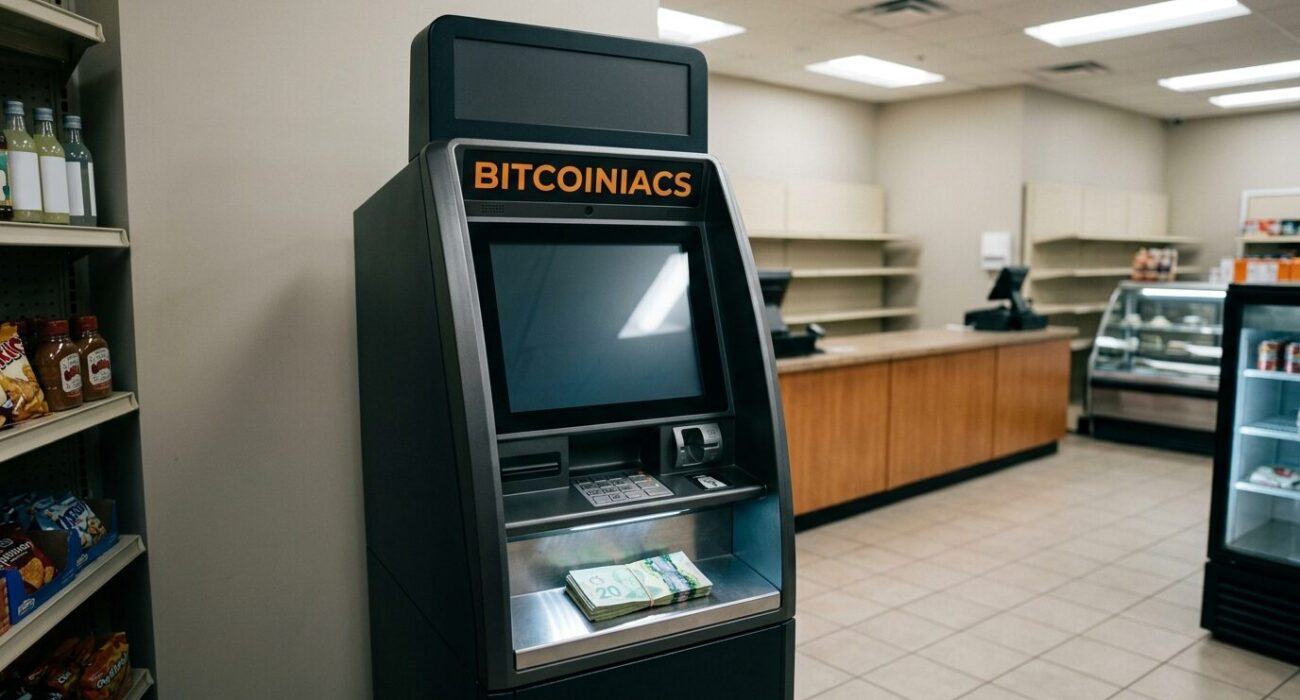
Want to sell Bitcoin for cash in Canada? A Bitcoin ATM that supports selling lets you walk up, send your Bitcoin to the machine, and walk away with Canadian dollars in a few minutes — no bank transfer, no waiting days for an Interac deposit to clear. Below you’ll learn each step of the process, what ID you’ll need, what it costs, and how to keep the sale onside with the Canada Revenue Agency. Don’t assume every bitcoin ATM takes sells — some are buy-only, so confirm sell capability before you travel.
Table of Contents
- Sell Bitcoin for Cash Step by Step
- ID Verification and FINTRAC Rules
- Fees, Rates, and Limits to Expect
- Alternative Ways to Cash Out Bitcoin in Canada
- Taxes and Record-Keeping for Your Sale
- Scam Warning: When Someone Asks You to Sell Bitcoin for Them
- Frequently Asked Questions
Sell Bitcoin for Cash in Canada Step by Step
A sell-capable A bitcoin ATM is the fastest way to convert Bitcoin into physical cash in Canada. The reverse of the buying process, a sell transaction sends your Bitcoin from your wallet to the machine’s address and dispenses money on the spot. Here’s the typical flow at a Bitcoiniacs machine:
- Select Sell Bitcoin on the ATM touchscreen and enter the amount of Canadian dollars you want out.
- Complete the identity verification the machine prompts you for — typically a government photo ID scan and a phone number.
- The ATM displays a QR code with its receiving address and the exact amount of BTC it expects.
- Open your Bitcoin wallet app, scan the QR code (or paste the address), and send the exact amount from your own wallet.
- The machine watches the blockchain. Once the transaction broadcasts, it dispenses your CAD cash.
- Keep the printed receipt with the transaction ID — more on why that matters for taxes below.
A critical safety rule: only send Bitcoin from a wallet you control. The ATM will never ask you to send coins to a stranger’s address. If anyone on a phone call or inside a store is directing you to deposit your cash or Bitcoin, step away — that is a hallmark of fraud, and we cover the detailed warning signs near the end of this guide.
Before You Head to the Machine
Check three things on your phone before you go: your wallet is synced and you can move funds, you know roughly how much CAD you want out, and the machine’s location. Bitcoiniacs operates sell-enabled machines in cities like Vancouver, Richmond, Burnaby, Toronto, Calgary, Red Deer, and Victoria. Confirm the specific store location supports sells in the Bitcoiniacs locations list — each machine page lists whether that unit does buy only or both buy and sell.
ID Verification and FINTRAC Rules
Why do you need to show ID to sell Bitcoin for cash in Canada? Because Bitcoin ATM operators are money services businesses regulated under the Proceeds of Crime (Money Laundering) and Terrorist Financing Act. FINTRAC requires them to identify customers and file reports on qualifying transactions. You can read the government’s own guidance on large virtual currency transaction obligations in FINTRAC’s public guidance.
What does the verification actually look like at the machine? Usually, a scan of a Canadian driver’s licence, passport, or similar government photo ID, plus your mobile number for a text confirmation. Larger amounts may require more steps. Any operator that advertises a sell machine “with no KYC” in Canada is operating outside the rules — treat that as a red flag for the entire operation.
Why ID Rules Protect You Too
It’s tempting to read verification as friction. The other side of the coin: a regulated operator generates real receipts and transaction trail. That paper trail is what protects your funds if a transaction fails and what keeps you legally defensible at tax time. The Ontario Securities Commission’s investor alerts portal regularly warns about unregistered crypto dealers, and operating outside the KYC framework is a common marker.
What Records the Operator Keeps
Under FINTRAC rules, a registered money services business records the date, the CAD and virtual currency amounts involved, the exchange rate used, and identity information for qualifying transactions. You may see cautionary notes about big virtual currency transactions in government advisories; for the precise thresholds the regulator publishes, review the same FINTRAC page rather than trusting blog claims.
Fees, Rates, and Limits to Expect
How much does it cost to sell Bitcoin for cash in Canada? You pay in three layers, and every machine handles them a little differently:
- Spread (the biggest cost). The ATM quotes you a Canadian dollar amount that embeds the operator’s margin over the live international BTC market price. Compare the displayed rate against the current Bank of Canada reference rate before you commit.
- Flat or percentage fee. Many machines add a transparent service fee on top of the spread and show it on-screen before you confirm.
- Bitcoin network fee. You pay miners when broadcasting your transaction from your wallet. This depends on how busy the mempool is, not on the ATM operator, and it’s typically small relative to the spread.
Getting a feel for fair pricing helps. The Bank of Canada publishes daily exchange rates, and you can see the live USD price of BTC on any public tracker to sanity-check the machine’s quote. If the machine’s rate is dramatically better than every other machine down the block, suspect a bait-and-switch or outright fraud.
Per-transaction limits also apply. Sell limits vary by machine and operator and are usually tied to the verification level your ID scan supports. The honest expectation for a first-time user at a properly run Canadian machine: a modest daily ceiling once your initial verification clears, which increases with further documentation. There is no universal number published across the industry, so check the details on your operator’s site. If you need to liquidate a serious amount of Bitcoin, our over-the-counter service handles larger Canadian sales off the machine entirely.
Alternative Ways to Cash Out Bitcoin in Canada
An ATM isn’t the only route to Canadian dollars. The main alternatives, in rough order of convenience:
- Sell at an ATM for instant cash. Fastest physical-conversion route. Best for moderate amounts where speed matters. The Bitcoiniacs location finder shows each city’s sell-capable machine.
- OTC or over-the-counter sale. For larger conversions — think five figures or more — direct OTC channels reduce exposure to ATM limits. In Vancouver, our Vancouver over-the-counter bitcoin desk is designed for exactly this.
- Online exchanges that support fiat rails. Sell to a registered Canadian platform, then wait for a bank or Interac withdrawal. Cheaper per trade, slower settlement, and usually worse privacy.
- Peer-to-peer cash trades. Meeting a stranger with an envelope of cash is exactly what it sounds like: an unacceptable risk of robbery, counterfeit bills, or a chargeback-style reversal. Not a route we recommend, at any price premium it offers.
Each method has trade-offs in speed, cost, and privacy. The ATM and OTC routes above preserve your anonymity relative to centralized exchanges while still respecting — and offering you a receipt for — the ID checks Canadian law requires.
Taxes and Record-Keeping for Your Sale
Selling Bitcoin in Canada is a tax event. The CRA treats a sale of Bitcoin for CAD as a disposition: if your proceeds exceed your cost basis for that Bitcoin, you have a gain, and if not, a loss. CRA guidance on reporting income from crypto-asset transactions lays this out, including what qualifies as business income rather than a capital gain.
What you must keep after each ATM sale — this list matches what the the CRA’s crypto capital gains guidance expects for computing gains and losses:
- The CAD amount you received, the BTC amount you sold, and the exchange rate or market value at the time.
- The machine’s service fee and any other fees, as shown on your receipt.
- Date and time of the sale, your wallet address, and the transaction ID.
- Your original cost basis — what you paid for the Bitcoin (wrapped in acquiring it), including fees at purchase.
Retain these records for the standard six-year period in case the CRA asks. If you sell and spend rather than sell and hold, remember that every spend of Bitcoin is also a disposition in the CRA’s eyes — not just the ATM sale. For Canadian tax filing deadlines and required forms, see the CRA’s main CRA’s personal income tax dates page.
Ground Zero: Business Income vs Capital Gain
Selling a small personal holding once or twice a year is usually a capital-plays-on-opportunities scenario. Years of active trading, promoting prices to others, scaling operations — those look like business activity. The official distinction lives in the CRA crypto-asset transactions guide. When in doubt, a Canadian tax professional is well worth the fee before a large sale, not after.
A Scam-Driven Tax Note
If you handed your Bitcoin — or the ATM cash — to a caller claiming to be the CRA itself, report it rather than writing the loss off as unreported. The CRA never demands Bitcoin or gift cards over the phone. See current investor alerts from Canadian regulators if a scam has hit your circle of family or friends and you’re unsure how to help them.
Scam Warning: When Someone Asks You to Sell Bitcoin for Them
A warning we want loud and clear, because it keeps claiming victims: if a stranger on the phone, an “investor” you’ve never met, a government official, or — most common — someone claiming to be from a bank, the CRA, or a tech support company asks you to sell Bitcoin and hand any portion to them, you are being scammed.
- Urgency pressure: any claim that the window closes or you’ll be arrested within the hour.
- Guaranteed returns, or claims your account will be “protected” by sending money.
- Asking for your seed phrase, wallet keys, or remote-access software.
- Asking you to send Bitcoin to a wallet address they dictate rather than one generated by the machine.
- Requests for one-time passcodes sent to your phone or email, or cards of gift codes as “payment.”
Legitimate singles or businesses that operate currency exchanges never ask for seed phrases, invite unexplained send-address changes, or ask you to be their payment proxy. If a relative claims an emergency requiring Bitcoin, verify by phone using a number you look up independently — not any number they provided. For further reading on protecting your keys, we have a complete guide to seed phrase security.
Frequently Asked Questions
Can You Sell Bitcoin for Cash at a Bitcoin ATM in Canada?
Yes, at machines that support the sell direction — some operators only install buy-capable units. Bitcoiniacs runs sell-enabled machines in cities across BC, Alberta, and Ontario; verify any specific machine’s sell capability on its individual location page before travelling.
Do I Need ID to Sell Bitcoin at an ATM?
Canadian Bitcoin ATMs are regulated money services businesses under FINTRAC, and ID or mobile verification is a standard requirement, especially for larger amounts and for selling (the direction where fraud risk is higher). Expect a government photo ID scan and a mobile confirmation.
How Long Does a Bitcoin ATM Sale Take?
The machine’s cash-out flow itself is quick: verification, a scan of the machine’s QR code, and confirmation. Then the ATM waits for your blockchain transaction to broadcast — usually a few minutes at most. Congested Bitcoin network periods can extend the wait, so plan around rush hours in crypto trading if you need the cash urgently.
Is Selling Bitcoin at an ATM in Canada Taxed?
The sale itself is a taxable disposition. The cash you walk away with is just cash; but the CRA taxes the gain over your cost basis, whether the gain was realized at an ATM, an exchange, or through an OTC sale. Keep the six records listed in the tax section above, and speak to a tax professional for amounts that matter.
That’s the full picture of how to sell Bitcoin for cash in Canada. Find your nearest sell-capable machine on our ATM locations page, complete the standard ID check, keep your receipt, and record the sale for tax purposes. Questions before your first sale? Our team is reachable through any Bitcoiniacs location page.