


A SIM swap attack does not touch your wallet, your exchange password, or your seed phrase. It goes after the layer sitting above all of them: your phone number. A thief talks your mobile carrier into moving your number onto a SIM card they control, and from that moment every call and text meant for you lands on their device. If your crypto account sends login codes by text message, the thief is now holding the second key to your account.
The useful question is not whether SIM swapping is clever. It is whether your current setup would survive one. Here is how the attack works, the signs that show up in the first minutes, the settings that block it, and what to do if your number vanishes.
Table of Contents
- What a SIM Swap Attack Actually Does
- How SIM Swapping Happens in Canada
- Warning Signs Your Number Has Been Hijacked
- How to Protect Your Crypto From a SIM Swap
- If a SIM Swap Attack Happens: Your First Hour
- Frequently Asked Questions
What a SIM Swap Attack Actually Does
Your phone number has quietly become an identity document. It is the recovery channel for your email, your bank, and in many cases your crypto exchange. Carriers, banks and platforms all treat “can you receive a text at this number” as proof that you are you.
A SIM swap breaks that assumption. The attacker does not hack your phone and never needs to hold it. They contact your carrier, impersonate you using details often already exposed in data breaches, and request that your number be activated on a new SIM card or eSIM. If the request goes through, your own device drops to “No Service” and the attacker’s phone starts receiving everything addressed to you.
The goal is not to read your texts. The goal is to use them. The attacker runs password resets across your email and financial accounts, and each reset code arrives on their device. The FTC’s consumer alert on SIM swap scams is blunt about the implication: text-message verification may not stop a SIM card swap, and an authentication app or security key is the stronger choice. That means SMS two-factor authentication, the setting most people assume is protecting them, can be the exact weakness being exploited.
The window attackers rely on
Once the number moves, the clock starts. A swap is usually reversible and carriers can restore the original SIM when the real owner calls in, so attackers work inside a 15 to 30 minute window: password reset, login, withdrawal, done. A victim who notices the loss of service and calls their carrier immediately can still cut the attack short.
Why crypto accounts are a favourite target
Bank transfers can be reversed. A wire can be recalled, a card charge disputed, a fraudulent e-transfer frozen while the bank investigates. Bitcoin cannot. A confirmed on-chain transfer has no chargeback and no dispute desk, which is why crypto platforms and self-custody wallets have been prime SIM swap targets for years.
How SIM Swapping Happens in Canada
Canada’s version of the attack follows the same playbook, with one local wrinkle: number portability. Because Canadians can move a number between carriers, a thief can attempt either a SIM swap inside your current provider or a port-out that moves your number to a different company entirely.
The Canadian Centre for Cyber Security publishes a public guidance document on SIM security that is unusually practical. Its recommendations include asking your provider for port protection or a SIM lock, enabling multi-factor authentication that does not depend on your phone number, and keeping the answers to your security questions private. Those three habits cover most of the realistic attack surface.
Number porting is the weak link
Carriers have to make porting easy because customers switch providers, and that convenience is what attackers abuse. Regulators have been tightening the rules: the FCC opened a rulemaking on SIM swapping and port-out fraud to require carriers to authenticate customers securely before moving a number, and to notify subscribers when a SIM transfer is requested. That notification matters, because it gives a victim the critical minutes.
Port-out fraud versus a SIM swap
Both end with your number in someone else’s hands. A SIM swap keeps you with your carrier and activates a replacement SIM on your existing account. A port-out moves your number to a different carrier under an account the thief controls, which can be harder to reverse because two companies are involved and each will point at the other while you are on the phone. If you get a text about a port request you did not make, treat it as an emergency.
What the thief needs before they call
Impersonation requires information, and most of it is not secret. Full name, phone number, address and date of birth are frequently enough to pass a support agent’s verification, especially when a breach has already exposed an account PIN or partial account history. Data leaks, phishing messages that harvest a few details, and social media profiles all feed the same pool. Your date of birth and mother’s maiden name are not security, they are data.
Warning Signs Your Number Has Been Hijacked
Speed is the whole game, so learn the signals before you need them:
- Your phone drops to “No Service” or “SOS only” where you normally have coverage, and a restart does not help.
- Calls to your number go straight to voicemail even though your phone is on and shows signal.
- You receive a carrier text about a SIM change, number transfer, or port request you never initiated.
- Password reset emails start arriving for accounts you did not try to reset.
- Login alerts appear from devices or locations you do not recognise.
- Two-factor codes stop arriving while messages from other people still come through.
Any single one of these can be innocent. Several at once is an attack. The Canadian Anti-Fraud Centre collects reports of fraud and identity theft affecting Canadians, and it is the right place to file once your accounts are secure.
How to Protect Your Crypto From a SIM Swap
Move off SMS two-factor authentication
This is the highest-value change. Where a platform offers a choice between text-message codes and an authenticator app, choose the app. Codes generated on your device are not tied to your phone number, so a swapped SIM produces nothing useful. Where a hardware security key is supported, use one: a physical key cannot be phished or ported.
Then handle the boring part. Save recovery codes offline, not in a screenshot on the phone you are trying to protect. Turn on app-based 2FA for your email account first, because email is the master reset path for everything else. Use a password manager so no two accounts share a password, and give financial accounts an email address you never post publicly.
Lock down your carrier account
Call your provider and ask directly for port protection, a SIM lock, or a transfer freeze, then ask what identification is required to lift it. Options vary by carrier and are not always advertised, so escalate if a representative says the feature does not exist. Set an account PIN, and make sure the contact email on your mobile account is one an attacker cannot reach.
Separate your phone number from your Bitcoin
The most durable protection is structural. If your Bitcoin sits in a wallet you control rather than an account guarded by a phone number, a SIM swap cannot reach it, because there is no login to hijack and no reset flow to abuse. Our guide to storing Bitcoin safely in Canada covers the practical side: a hardware wallet for meaningful amounts, the seed phrase written on paper or metal and stored offline, and no cloud photo backup of that seed phrase.
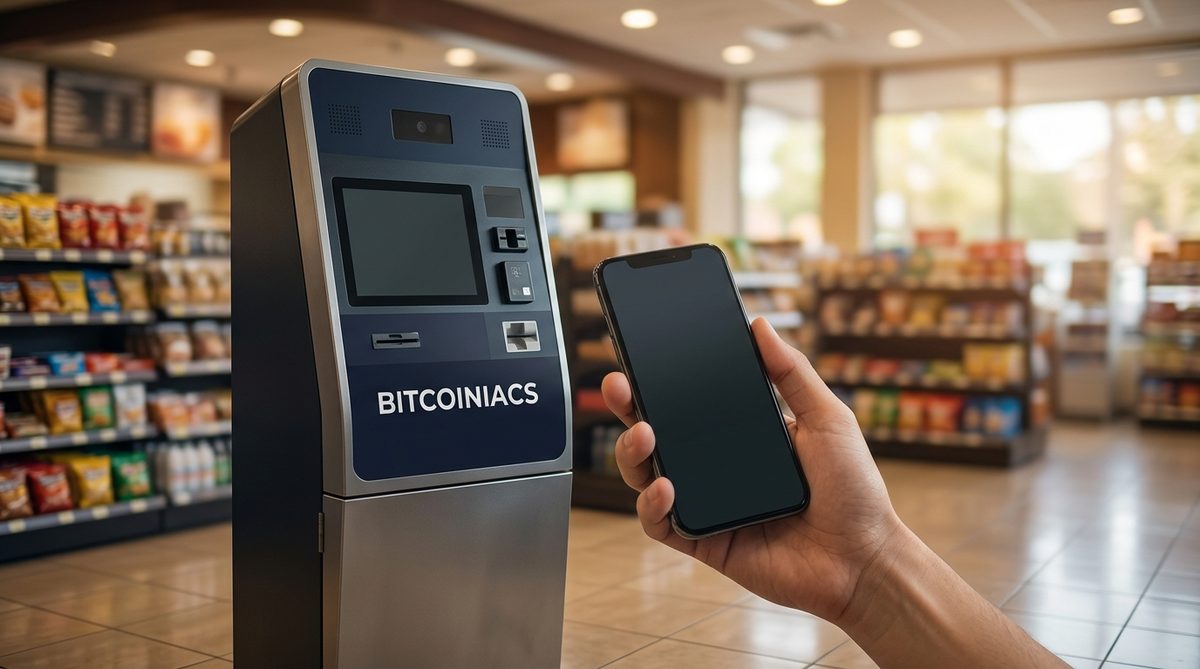
Cash purchases at a Bitcoin ATM fit the same logic. You pay in cash at the machine and the Bitcoin is sent to a wallet address you supply, so the purchase does not run through an online account a phone number can unlock. You can find a Bitcoiniacs ATM near you across British Columbia, Alberta, Ontario, New Brunswick, Nova Scotia and Yukon, and review the ID requirements for Canadian Bitcoin ATMs before you go. To skip the paperwork on arrival, pre-register with Bitcoiniacs and verify your identity once.
If a SIM Swap Attack Happens: Your First Hour
Work in this order, because your email account can unlock everything else.
- Call your carrier from another phone. Report the unauthorised change, ask for your number to be restored, and ask for port protection immediately.
- Secure your email account. Change the password from an unaffected device, revoke active sessions, and remove unfamiliar recovery addresses or forwarding rules.
- Reset your crypto and banking passwords. Revoke API keys and delete any withdrawal address you did not add yourself.
- Switch to app-based 2FA everywhere text messages are still used, and check your exchange’s withdrawal allowlist.
- Document everything. Screenshot the outage, carrier texts and login alerts, report to your local police and the Canadian Anti-Fraud Centre, and tell your exchange’s compliance team the same day.
One warning while you are in this state: anyone who contacts you offering to recover stolen crypto for a fee is running a second scam against the same victim. No legitimate recovery service cold-calls a hack victim.
Frequently Asked Questions
How can I protect myself from a SIM swap?
Three things do most of the work: stop using text messages for two-factor authentication on accounts that hold money, ask your carrier to enable port protection or a SIM lock, and keep your personal details off public profiles so impersonation gets harder. None of these is difficult, and together they close the routes attackers actually use.
Is SMS 2FA still safe for crypto accounts?
It is better than no second factor, but it is the weakest option, and against a determined SIM swap it can fail completely. If an authenticator app or hardware key is offered, use it. Many people who have been through a swap describe the same turning point: they assumed the text code was protecting them until the codes started arriving on someone else’s phone.
What should I do if my phone suddenly loses service?
Do not wait for it to fix itself. Restart the phone once, and if service does not return, call your carrier from another line and ask whether a SIM change or port request was made on your account. Then secure your email password before anything else, because email resets unlock the rest. An unexplained loss of service plus password reset emails is the classic signature of an attack in progress.
Can a SIM swap steal Bitcoin from a wallet I control?
Not by itself. A wallet you hold the keys for has no phone number attached, no password reset by text, and no support agent to impersonate. The exposure lives in accounts that use your number as a login or recovery channel, which is exactly why moving long-term holdings into self-custody, and buying in person with cash, removes you from the most common attack path.
Do Canadian carriers offer port protection or a SIM lock?
Options vary by provider, so ask specifically for port protection, a SIM lock, or a transfer freeze, and confirm what is required to remove it. Setting an account PIN or passcode is worth doing regardless. If a representative says the feature does not exist, ask to escalate: these controls are offered by major carriers in some form, and the request itself documents your intent.
Your phone number is a convenience that quietly became a security credential, and criminals have noticed. Spend twenty minutes this week turning off SMS codes on the accounts that hold your money, adding a port freeze with your carrier, and moving anything you cannot afford to lose into a wallet you control. A SIM swap attack is fast and unpleasant, but the defences are cheap, permanent, and entirely within your hands.