


If you bought your first Bitcoin in Canada this year, congratulations, you now have a problem most people underestimate: keeping it safe. The exchange or Bitcoin ATM you used to buy Bitcoin in Canada doesn’t store your coins for you. It only swaps your dollars for entries on a public ledger that only your private key can unlock. Lose that key, and your Bitcoin is gone. Leave it with the wrong custodian, and you might lose it anyway.
This guide covers how to store Bitcoin safely in Canada in 2026, from hot wallets and hardware wallets, to seed phrase backups, exchange risk, and the Canadian regulatory context. By the end, you’ll know exactly which setup fits your situation, how to back it up, and what mistakes to avoid.
Table of Contents
- How to Store Bitcoin Safely in Canada
- Hot vs Cold Wallets
- Seed Phrase Backup
- Avoiding Scams and Theft
- Frequently Asked Questions
Why Storage Matters in Canada
Canada treats cryptocurrency as a commodity, not legal tender. The Canada Revenue Agency taxes it, FINTRAC supervises the businesses that handle it, and the Canadian Securities Administrators oversee platforms that offer crypto contracts or ETFs. None of those regulators, however, insure your Bitcoin the way the CDIC insures a bank deposit.
When you buy Bitcoin in Calgary through a Bitcoin ATM, the coins are sent to a wallet address you control, usually scanned from your own mobile wallet’s QR code at the machine. From that moment, the responsibility for those coins is yours. That’s a powerful position, but it comes with risks Canadians are only starting to internalize:
- Exchange collapse: Canadian platforms have failed (QuadrigaCX in 2019 is the most infamous example). Customers lost access to roughly $190 million in crypto. “Not your keys, not your coins” is the phrase you’ll hear on every Bitcoin forum for a reason.
- Phishing and SIM swap: Canadians are a top target for SIM-swap fraud. A thief who controls your phone number can reset exchange passwords and drain your account before lunch.
- Lost or forgotten credentials: A surprising share of all Bitcoin, estimates range from 11% to 18%, is effectively lost because holders forgot or threw away their seed phrase. Self-custody cuts both ways.
The good news: storing Bitcoin safely isn’t complicated, it just isn’t optional. Pick a wallet type, back up your seed phrase properly, and avoid the obvious traps.
Hot vs Cold Wallets: The Core Storage Tradeoff
Every Bitcoin wallet falls into one of two categories, and choosing between them is the first decision you’ll make.
Hot Wallets (Mobile, Desktop, Web)
A hot wallet is connected to the internet. Think of it as a digital wallet app on your phone. The private keys live on a device that’s online, which makes transactions fast and convenient, but also exposes the keys to whatever malware or phishing page you accidentally interact with.
Common Canadian-friendly hot wallets include:
- Mobile apps like BlueWallet, Nunchuk, or the wallet built into your exchange’s app.
- Browser extensions such as MetaMask (multi-chain) or dedicated Bitcoin extensions.
- Custodial exchange wallets, these technically aren’t your wallet at all, the exchange holds the keys on your behalf.
Hot wallets are fine for small “spending” balances, the equivalent of what’s in your physical wallet. If someone compromises your phone, you lose what’s in the hot wallet, not your life’s savings.
Cold Wallets (Hardware Wallets, Paper Wallets)
A cold wallet keeps your private keys offline, usually on a dedicated hardware device. The keys never touch an internet-connected computer, so even if your laptop is infested with malware, the coins are safe. Transactions are signed on the device itself and only the signed transaction is broadcast online.
Cold storage is the right choice for:
- Long-term holdings you don’t plan to touch for months or years.
- Any balance large enough that losing it would actually hurt.
- Anyone who has been in Bitcoin long enough to know that exchanges fail.
A common hybrid setup, and the one most experienced Canadian holders use, is a small hot wallet for active spending and a hardware wallet for the bulk of the savings. You send Bitcoin straight from a Bitcoin ATM to your hardware wallet, then move a small allowance to your phone wallet when you need to spend or sell.
How to Store Bitcoin Safely in Canada: Wallets, Hardware, and Backups
Hardware wallets are the gold standard for self-custody, and the Canadian market is well-served. The two brands that come up most in r/BitcoinCA threads are Ledger and Trezor, with Coldcard as a strong third option for the Bitcoin-only crowd.
Popular Hardware Wallets in 2026
- Ledger Nano X / Ledger Stax, Bluetooth-enabled, supports thousands of coins, easy to use, well-supported companion app. Ledger devices are certified and have shipped millions of units worldwide.
- Trezor Safe 3 / Trezor Safe 5, Open-source firmware, transparent security model, strong track record. The Trezor Suite desktop app is clean and beginner-friendly.
- Coldcard Mk4 / Q1, Bitcoin-only, air-gapped signing, SD-card-based firmware updates. The most paranoid-friendly option and the one r/BitcoinCA tends to recommend for serious Bitcoiners.
- Tangem, Smart-card form factor, no screen, no seed phrase (uses multiple backup cards instead). Convenient and waterproof, but a different security model worth researching before you commit.
All four options can be ordered online and shipped to Canada, though be aware that ordering hardware wallets directly from the manufacturer is generally safer than buying from a marketplace seller, tampered devices have been reported in the past. If you’re new to hardware wallets, our Bitcoin hardware wallet Canada setup guide walks you through unboxing, initializing, and funding your first device.
Where to Buy a Hardware Wallet in Canada
Order directly from the manufacturer’s website (ledger.com, trezor.io, coldcard.com) for the highest assurance. Canadian retailers like the Bitcoin-only shop in your city, or established online Canadian crypto shops, also stock devices. Avoid used or “open box” devices, once a seed phrase has been generated on a device, treat it as compromised.
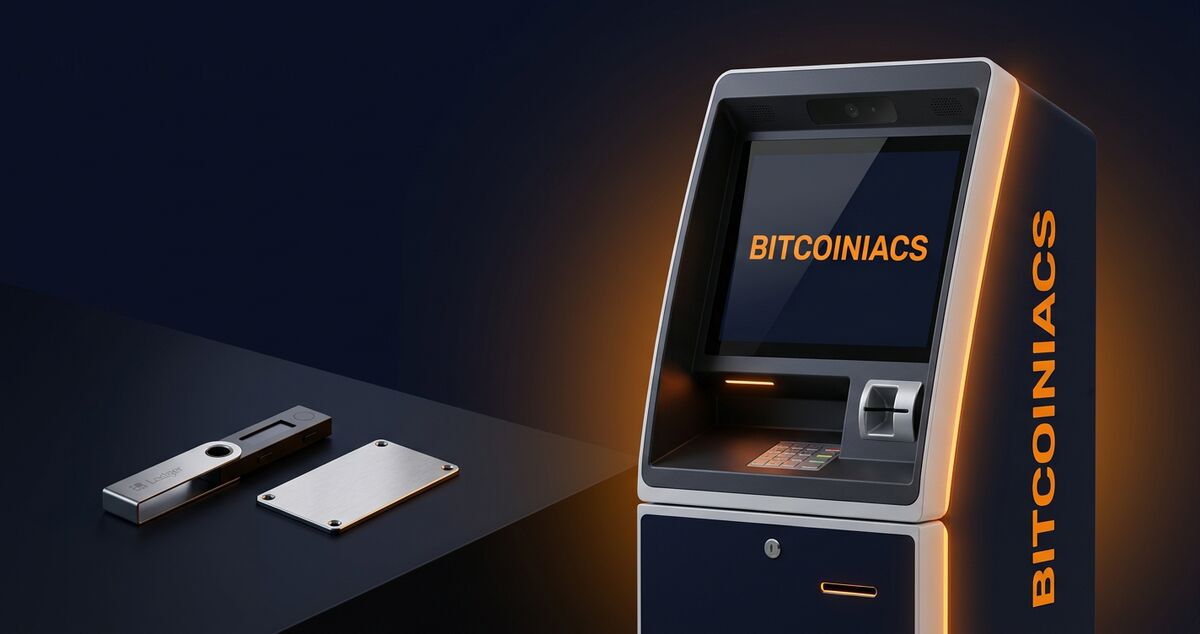
Funding your hardware wallet is straightforward: buy Bitcoin in person at a Bitcoiniacs ATM, scan the receive address from your hardware wallet’s screen, send the coins, and wait for the confirmations.
Seed Phrase Backup Best Practices
Your seed phrase, usually 12 or 24 English words, is the master key to your Bitcoin. Anyone who has it can spend your coins from anywhere in the world. Lose it, and no support team can help you. There’s no “forgot password” link on the Bitcoin blockchain.
That makes the seed phrase the single most important security object you own. Treat it accordingly.
The 5 Rules of Seed Phrase Hygiene
- Never type it into a phone, computer, or website. Not for “verification,” not for cloud backup, not because a “support agent” asked. Real wallet software never needs your seed phrase entered online.
- Never photograph it. Phones sync photos to the cloud automatically, and the cloud gets breached. Photos of seed phrases have been the cause of multiple high-profile losses.
- Write it down on paper first, then move it to a more durable medium like a steel or titanium seed plate (Billfodl, Cryptosteel, BlockPlate, and similar products). Paper burns. Steel survives a house fire.
- Store the backup in a separate physical location from the device. A fire, flood, or simple theft shouldn’t take both. A safety deposit box, a fireproof safe in a relative’s house, or a tamper-evident bag in two different cities all work.
- Use a passphrase (25th word) for high-value holdings. A passphrase is a custom word or phrase you add on top of the seed. The seed alone won’t unlock the wallet, you need both. Memorize it; don’t write it down next to the seed.
If your hardware wallet is lost, stolen, or destroyed, your seed phrase (plus your passphrase, if you used one) is what restores access. Run a recovery drill once with a small amount before you trust the setup with serious money, restore the seed to a second device, confirm the balance appears, then wipe the test device.
Avoiding Scams, Phishing, and Theft
Canadian Bitcoin holders get targeted by the same global scam playbook that hits users everywhere, plus a few distinctly Canadian flavours. Storing your coins in self-custody cuts out the largest category of loss (exchange failure), but it also puts the responsibility for spotting scams on you.
The Most Common Bitcoin Storage Scams in Canada
- Fake wallet apps in app stores. Imitator apps have appeared in Google Play and the Apple App Store using names nearly identical to legitimate wallets. Always navigate to the wallet’s official site and follow the link from there.
- “Support” agents asking for your seed phrase. No legitimate wallet, exchange, or hardware wallet vendor will ever ask for your seed phrase. Anyone who does is a thief.
- SIM-swap fraud. A fraudster convinces your mobile carrier to transfer your number to their SIM, then resets your exchange passwords. Mitigation: use authenticator apps (Google Authenticator, Aegis, Authy) instead of SMS-based 2FA, and ask your carrier to add a port-protection PIN.
- Address-replacement malware. Clipboard hijackers swap wallet addresses in your copy-paste buffer. Always double-check the first and last 4 characters of the address on your hardware wallet’s screen before confirming a send.
- Romance and investment scams. The Canadian Anti-Fraud Centre reports crypto-related fraud losses in the hundreds of millions annually. If a new online friend wants you to “invest” your Bitcoin on a specific platform, it’s a scam.
For a deeper breakdown of the Canadian-specific scam landscape, including CRA impersonators, fake Bitcoin ATM receipts, and how to verify a Bitcoiniacs location, see our Bitcoin scams in Canada guide.
A Quick Storage Security Checklist
- Pick a hardware wallet from a trusted manufacturer and order it directly.
- Generate the seed phrase on the device itself, never on a phone or laptop.
- Back up the seed to a metal plate stored in a separate, secure location.
- Enable a passphrase for any balance that would seriously hurt to lose.
- Use authenticator-based 2FA on every exchange and email account.
- Verify every receiving address on your hardware wallet’s screen before sending.
Storing Bitcoin safely in Canada is less about buying the most expensive gear and more about building boring, repeatable habits. The most secure setup is the one you’ll actually use every time.
Frequently Asked Questions
What’s the safest way to store Bitcoin in Canada?
For most people, the safest setup is a hardware wallet from a reputable manufacturer (Ledger, Trezor, Coldcard) with the seed phrase written to a metal backup plate and stored separately from the device. For small “spending” balances, a reputable mobile wallet is fine. Avoid keeping large amounts on a Canadian or international crypto exchange long-term, since you don’t control the private keys and the platform could be hacked, go insolvent, or freeze withdrawals.
Can I lose my Bitcoin if I lose my hardware wallet?
No, not if you have your seed phrase. The hardware wallet is just a signing device, your actual Bitcoin lives on the blockchain, controlled by the keys derived from your seed. Buy a new device (or use any compatible wallet software), enter your 12 or 24-word seed, and your balance reappears. This is exactly why the seed phrase backup matters so much. If you lose both the device and the seed phrase, the Bitcoin is gone permanently.
Should I keep my Bitcoin on an exchange or move it to self-custody?
For long-term holdings, move it to self-custody. The exchange model requires you to trust that the platform stays solvent, stays honest, and stays accessible, and that trust has been broken before (QuadrigaCX, Mt. Gox, FTX). For trading amounts you actively use on an exchange, leaving them on the platform is a reasonable tradeoff for liquidity. As a general rule, anything you wouldn’t be comfortable losing entirely should leave the exchange.
Is it safe to store my seed phrase digitally?
No. Photos, password manager entries, cloud backups, text files, and email drafts of a seed phrase have all been the cause of thefts. Any device connected to the internet can be compromised by malware, breached via cloud credentials, or subpoenaed by law enforcement. A seed phrase is “hot wallet” level exposure the moment it touches an internet-connected device. The only safe storage mediums are offline: paper, metal plates, or hardware-encrypted devices that never connect to anything.
What happens if someone finds my seed phrase?
They can drain the wallet in minutes. Anyone with the seed phrase has the same control over your Bitcoin as you do, from anywhere in the world, with no password reset and no customer service to call. Treat your seed phrase like the master key to a vault, store it in a location only you can access, and never share it with anyone, including “support” staff. If you used a passphrase (25th word), that adds a second factor the thief would also need.
Once your Bitcoin is sitting safely in self-custody, the next decision is what to do with it: hold, spend, or convert. For Canadians considering a long-term position, the Canadian Securities Administrators’ guidance on crypto assets is worth a read, and the CRA’s digital asset tax guidance clarifies the tax side. The Bitcoin.org secure your wallet guide covers the same fundamentals from a non-jurisdiction-specific angle, and the FINTRAC crypto business registry explains how Canadian reporting entities are supervised.