


Can you buy bitcoin with Apple Pay in Canada? Yes, but only through a provider that accepts Apple Pay at checkout, and only when your bank lets the transaction through. Apple Pay is not a funding source. It is a wallet layer wrapped around a card you already own, so a tap-to-pay bitcoin purchase is still a card purchase underneath, with card rules, card fees and card limits attached. That one detail explains most of the frustration people run into. This guide covers what actually works in Canada in 2026, what the real cost looks like, which alternatives are usually cheaper, and how to keep clean records and stay clear of scams.
Table of Contents
- Can You Buy Bitcoin with Apple Pay in Canada?
- Why Apple Pay Cannot Buy Bitcoin on Its Own
- What Buying Bitcoin with Apple Pay Really Costs
- Better Ways to Buy Bitcoin in Canada
- Records, Limits, and Staying Clear of Bitcoin Scams
- Frequently Asked Questions
Can You Buy Bitcoin with Apple Pay in Canada?
The short answer is that Apple Pay works at a crypto provider only when three conditions line up at once. The provider has to support Apple Pay in its checkout. Your card has to be a card that the provider accepts. Your bank has to approve a crypto-related charge, which is the step that fails most often in Canada.
Where all three line up, the purchase feels effortless. You select a dollar amount, choose Apple Pay, authenticate with Face ID, and the bitcoin lands in the account the provider controls. Where any one of them fails, you get a declined transaction and very little explanation, because the decline usually happens at the issuer level and never reaches the app as a useful error message.
Two Canadian details matter more than most guides admit. First, Apple Cash, the peer-to-peer balance you can send through Messages, is a United States product and is not available to Canadian users, so it cannot be used as a funding source here. Second, many Canadian banks treat crypto purchases as a restricted category on credit cards, and a smaller number apply similar restrictions to some debit cards. A card that taps fine at a grocery store can still be refused for bitcoin.
One more thing carries over no matter how you pay. Buying bitcoin at a Canadian provider is not anonymous. Identity verification rules apply whether the money arrives by card, by bank transfer or in cash, so expect to verify who you are before your first purchase.
Why Apple Pay Cannot Buy Bitcoin on Its Own
It helps to separate the three parties involved in any tap-to-pay transaction. Apple supplies the wallet on your device. Your bank or card issuer supplies the money and the approval. The crypto provider supplies the bitcoin, the price and the account. Apple Pay only replaces the moment where you would normally type in a card number. It does not become a fourth party with its own balance, and it cannot fund a purchase that your issuer has decided to block.
Apple’s own documentation is explicit that a card used with Apple Pay is still offered by the card issuer, that Apple does not store the original card numbers, and that the transaction stays between you, the merchant and your bank. Apple Cash, the one Apple product that does hold a balance, is described in the same documentation as a United States service. Read it directly in Apple’s Apple Pay security and privacy overview if you want the wording from the source rather than from a blog.
That is also why the funding rails underneath matter for a Canadian buyer. Card settlement runs on networks that the Bank of Canada studies closely as part of its payments research, and the rules on those rails, not Apple’s software, decide whether your purchase is allowed to complete. If you want to avoid the card layer entirely, a straight forward debit purchase is worth understanding first, and our guide on how to buy Bitcoin with a debit card in Canada walks through where that route works and where it does not.
What Buying Bitcoin with Apple Pay Really Costs
Card checkouts look simple on screen, but several costs can stack up behind that one tap. There is the provider’s own service fee. There is the spread between the quoted price and the market price, which is how most platforms quietly earn part of their margin. There is a card or Apple Pay processing charge that many providers add specifically to card purchases because card acceptance costs them more. There is whatever your issuer charges on top, which can include a foreign exchange markup if the charge settles in another currency, and in some cases a cash advance fee with interest that starts accruing immediately.
We are deliberately not quoting a single headline percentage here, because the total depends on the provider, the card, the issuer and the size of the order, and it changes. What you can rely on is the direction: for a small purchase, a card checkout is routinely the most expensive way to acquire bitcoin in Canada, and the gap widens once an issuer treats the charge as a cash advance rather than a purchase.
Before you tap, work out the all-in number for yourself. Take the dollar amount you want to spend, compare the price you are offered against a public market price, add the provider fee, add any card processing fee, then add anything your issuer charges. Compare that total to what the same dollars would buy through a bank transfer or in cash. The comparison usually decides the question on its own.
One rule is worth stating plainly. Do not buy bitcoin with borrowed money or with a card balance you cannot clear in full. A volatile asset financed by revolving credit is a poor combination, and if the purchase posts as a cash advance, interest can begin the day you buy. If you want to buy in person with cash and skip the card layer altogether, you can book a Bitcoiniacs over-the-counter appointment at one of our locations and settle the purchase face to face.
Better Ways to Buy Bitcoin in Canada
Apple Pay is convenient, but convenience is the only thing it wins on in Canada. Two other routes do the same job for less.
Interac e-Transfer
Interac e-Transfer moves money directly between Canadian bank accounts, which is why most Canadian platforms treat it as their cheapest funding method. The transfer is initiated through Interac e-Transfer from your own online banking, so there is no card network in the middle and no card processing surcharge. The trade-off is that it takes a few minutes rather than a few seconds, and you need a bank account, which rules it out for some buyers. Our step-by-step guide on how to buy Bitcoin with Interac e-Transfer covers the process from start to finish.
Cash at a Bitcoin ATM
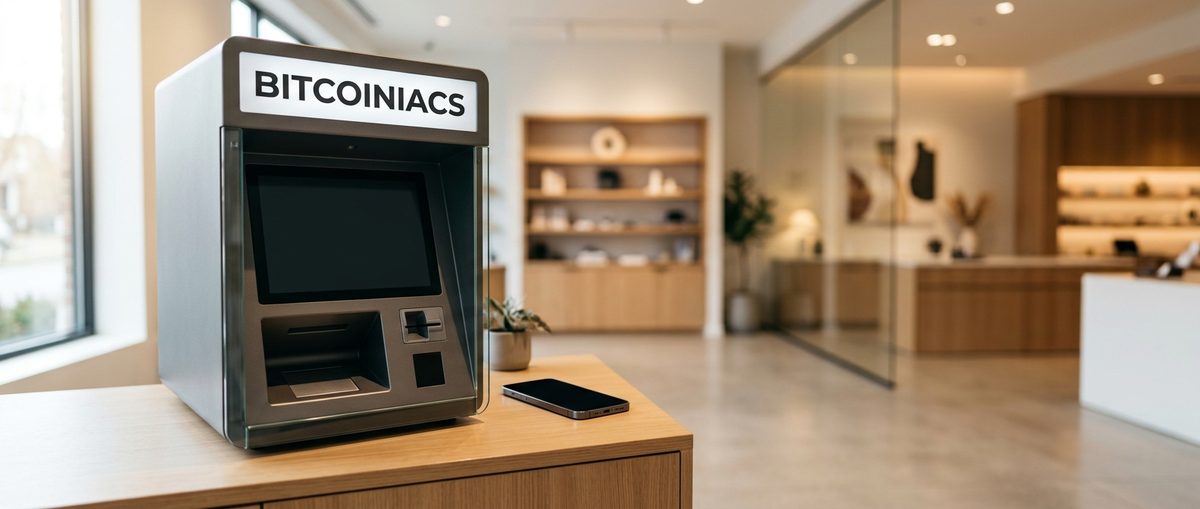
Cash remains the most direct option, and it is the one that needs no bank account, no card approval and no waiting. Bitcoiniacs operates Bitcoin ATMs across Canada that accept banknotes. You insert cash, confirm the amount on screen, provide a receiving wallet address, and the bitcoin is sent to that address. Bitcoin ATMs in Canada take cash only, so do not expect to tap a card at the machine simply because it resembles a bank ATM. Identity verification applies as it does everywhere else, and limits apply per transaction and per day.
Before you travel to a machine, check the store address and opening hours on our Bitcoiniacs Bitcoin ATM locations page, since many of our machines sit inside convenience stores, coffee shops and markets with their own hours. Have a receiving wallet ready before you arrive and double-check the address you enter, because a bitcoin transaction cannot be reversed once it is broadcast.
Records, Limits, and Staying Clear of Bitcoin Scams
Buying bitcoin and holding it is not itself a taxable event in Canada. Disposing of it is, and disposal includes selling it, spending it, or trading it for another crypto asset. Because the Canada Revenue Agency treats crypto assets as a commodity for tax purposes, a purchase can start a record you may need years later. The CRA’s guidance for crypto-asset users sets out what it expects you to track.
A practical record for each purchase includes the Canadian dollar amount you paid, the amount of bitcoin you received, the quoted price, the fees, the date and time, the wallet address that received the coins, the transaction ID and the statement or receipt from the platform or machine. Keep them together in one place. Reconstructing a year of small purchases after the fact is far harder than saving a screenshot at the time.
Now the warnings, because card and tap-to-pay habits make some scams easier to run. Treat urgency as a red flag: genuine opportunities do not expire in ten minutes. Treat any promise of guaranteed returns on bitcoin as a red flag, because nobody can guarantee a volatile asset. Never share your seed phrase or private key with anyone, and never enter it anywhere except your own wallet. Never read a one-time code to someone who contacted you, and never send bitcoin to a wallet address a stranger supplied, including one that arrives in a message that appears to come from a company you use. No legitimate operator, including Bitcoiniacs, will ask for your seed phrase, your password or a code sent to your phone.
Frequently Asked Questions
Is it actually possible to buy bitcoin with Apple Pay?
Yes, through providers whose checkout supports Apple Pay, and only if your card works for crypto. In Canada the attempt frequently fails at the bank rather than at Apple, and buyers regularly report identical declines across different apps and different banks. If your Apple Pay purchase will not go through, the issue is almost always the card or issuer, not your device.
Can I use Apple Cash to buy bitcoin?
Not in Canada. Apple Cash is a United States product, so Canadian users do not have the balance to spend in the first place. Even where it exists, it is a cash balance tied to a card rather than a crypto funding method, and it cannot pay a provider directly. In Canada, Apple Pay is your only Apple option, and it is simply passing your card through.
Why does Apple Pay cost more for bitcoin than Interac e-Transfer?
Because a card costs the provider more to accept, and that cost gets passed on. A card purchase can carry a provider fee, a spread, a card processing charge and sometimes an issuer or cash advance fee, while an e-Transfer runs bank to bank with no card network in the middle. Canadian buyers who have compared the two tend to land on the same conclusion: Apple Pay is convenient, and e-Transfer is cheaper.
Will my bank block a bitcoin purchase made through Apple Pay?
It might. Several Canadian banks restrict crypto purchases on credit cards, and declines described simply as bank policy are common. Debit cards and prepaid cards are more often accepted, but not universally, and some issuers treat crypto charges differently from ordinary retail spending. If you keep getting refused, ask your bank directly what its rule is, or skip the card layer and buy with cash instead.
Apple Pay is a fine convenience feature, and a poor funding strategy for bitcoin in Canada. If your card works and the fee stack is small enough for the amount you are buying, use it and move on. If it declines, or if the all-in cost looks heavy for a small order, the honest answer is that cash at a Bitcoin ATM or an Interac e-Transfer will get you the same bitcoin for less. Know what you are paying, keep the receipt, and never let a payment method make a rushed decision for you.