


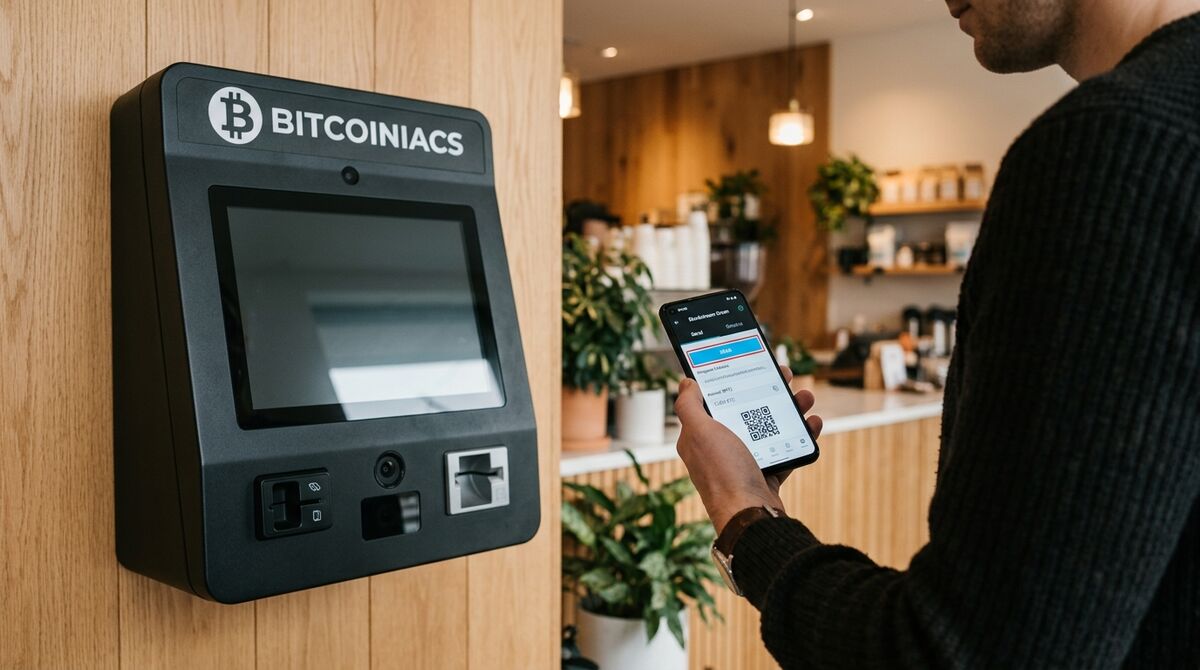
If you have Bitcoin in a Canadian wallet and want to send it somewhere — to another person in Canada, to a relative overseas, or to an exchange — the process looks the same to the network, but the cost, speed, and tax treatment change depending on how you do it. This 2026 guide walks Canadians through how to send Bitcoin from Canada, when to use the regular Bitcoin network versus the Lightning Network, what it actually costs in fees, and the CRA records you should keep on every transfer.
Table of Contents
- How Bitcoin Transfers Actually Work
- Step-by-Step: How to Send Bitcoin From Canada
- On-Chain vs Lightning: Which Network to Use
- Fees and Confirmation Times in 2026
- International Transfers and Remittance
- Tax and Record-Keeping
- Safety Tips Before You Hit Send
- Frequently Asked Questions
How Bitcoin Transfers Actually Work
Sending Bitcoin is not like sending an Interac e-Transfer. There is no central server that “moves” your coins. Instead, your wallet signs a transaction that reassigns ownership of a specific amount of BTC to the recipient’s Bitcoin address, then broadcasts that signed transaction to the global peer-to-peer network. Miners (or, on Lightning, channel operators) include the transaction in a block, and once enough confirmations accumulate, the recipient can spend the funds.
The address you send to is a string of letters and numbers (or a QR code that encodes one). It is permanently linked to a wallet on the recipient’s end. There is no name, no bank account number, and no way to reverse a confirmed transaction. If you mistype the address or send to a scammer, the Bitcoin is gone.
For background on how the broader network handles transactions, see the Bank of Canada’s digital currencies explainer. The mempool.space explorer shows the live state of pending transactions and current fee rates.
Step-by-Step: How to Send Bitcoin From Canada
The mechanics are the same whether you are sending $50 or $50,000. Here is what the process looks like in a typical mobile or desktop wallet.
Set Up Your Wallet
You need a self-custody wallet where you control the private keys (the seed phrase). Popular Canadian-friendly choices include Sparrow, BlueWallet, Phoenix (for Lightning), and the native wallet app of any hardware device you own.
Get the Recipient’s Address
Ask the recipient to share a Bitcoin address from their wallet — most wallets expose a “Receive” button that shows both a string and a scannable QR code. Confirm the address type matches what your wallet can send to (legacy 1..., SegWit bc1q..., or Taproot bc1p...). Sending across types usually works, but using the same type avoids surprises.
Enter the Amount and Review
Type the amount you want to send in either BTC or CAD. Your wallet will show the network fee separately, the total amount including the fee, and an estimated confirmation time. Verify all three before you sign.
Sign and Broadcast
Tap or click Send. Your wallet produces a signed transaction and broadcasts it to the Bitcoin network. You will see a transaction ID (txid) you can paste into a block explorer to watch it propagate. Most modern wallets confirm receipt within ten to sixty minutes on the base layer, depending on the fee you paid.
On-Chain vs Lightning: Which Network to Use
There are two distinct ways to send BTC. Picking the wrong one for your situation is the most common reason Canadians either overpay in fees or end up waiting hours for confirmation.
On-Chain (Base Layer)
The on-chain network is the base Bitcoin blockchain. Every transaction is recorded in a block roughly every ten minutes, and most wallets wait for one to six confirmations before considering funds “received.” On-chain is the right choice for:
- Large transfers where you want maximum security.
- Sending to a cold-storage hardware wallet or paper wallet.
- Transactions that need to be auditable on a public block explorer.
- Any transfer that does not need to settle in under a minute.
Lightning Network
Lightning is a second-layer network that batches thousands of small transactions off-chain and only settles the final balance on the base layer. Settlement is typically under a second, and fees are a fraction of a cent. Lightning is the right choice for:
- Small everyday transfers (a few dollars to a few hundred).
- Tipping, streaming payments, or splitting a restaurant bill.
- International remittance where speed matters more than absolute finality.
The trade-off is that Lightning requires both sender and recipient to be on a Lightning-compatible wallet and, for larger amounts, to have inbound channel liquidity. For an in-depth comparison, the Bitcoin Lightning Network Canada guide walks through setup and Canadian-friendly Lightning wallets.
Fees and Confirmation Times in 2026
Bitcoin network fees are denominated in satoshis per virtual byte (sat/vB), not in dollars. The total fee is the sat/vB rate multiplied by the transaction size, which depends on how many inputs your wallet is spending. Most wallets estimate this for you.
- Low priority: 1–5 sat/vB — confirms in hours to days when the mempool is busy.
- Standard: 10–20 sat/vB — confirms in the next block or two under normal conditions.
- High priority: 30–60 sat/vB — confirms in the next block even during spikes.
For a typical single-input, two-output transaction of about 250 vbytes, a 20 sat/vB fee works out to 5,000 satoshis — roughly a few dollars at current BTC prices. Live fee rates and mempool depth are visible on the mempool.space dashboard.
International Transfers and Remittance
Sending Bitcoin to someone in another country is functionally identical to sending it to someone down the street — the network does not see borders. The practical differences are:
- Speed. A Bitcoin transfer can clear in under an hour on-chain, or instantly on Lightning. By comparison, an international wire through a Canadian bank typically takes one to five business days and costs $30–$80.
- Cost. A Bitcoin transfer typically costs a few dollars in network fees plus whatever spread the sending platform charges. Remittance services like Western Union and MoneyGram often charge 5%–10% of the principal.
- Conversion. The recipient will receive BTC, not their local currency. They will need to convert at their end, which may trigger tax reporting in their jurisdiction.
- Reporting. In Canada, FINTRAC requires reporting of virtual currency transactions over $10,000 CAD, and outbound transfers can trigger additional compliance reviews. The FINTRAC LVCTR guidance spells out the obligations for Canadian-based senders.
If you regularly send money abroad, Bitcoin is often the cheapest route after the first wallet setup. For occasional transfers under a few hundred dollars, a traditional remittance service may be simpler despite the higher fee. Compare cross-border bank fees and wire timelines on the FCA banking portal.
Tax and Record-Keeping
The CRA treats Bitcoin as property, not as foreign currency. Most simple “send Bitcoin from one wallet you own to another wallet you own” transactions are not taxable events — they are transfers. But the moment you use BTC to pay for goods, gift it to someone else, or convert it to fiat, you have a disposition. The CRA’s overview on its cryptocurrency tax tips page explains the framework.
For every send you make, save:
- The date and time of the transaction.
- The CAD value of the BTC at the time of the send.
- The wallet address that sent the funds (the input).
- The wallet address that received the funds (the output).
- The transaction ID (txid) and confirmation count.
- The network fee paid, in BTC and CAD.
Keep these records for at least six years from the end of the tax year they relate to. Wallet apps like Sparrow and BlueWallet export a full transaction history as CSV; hardware wallet companion apps do the same.
Safety Tips Before You Hit Send
A few habits that prevent the most common loss scenarios:
- Always send a small test first. For a new recipient or a large amount, send the equivalent of $5–$10 first. Confirm receipt before sending the rest.
- Verify the address character by character. Address-scanning malware can replace the recipient’s QR code with an attacker’s. Compare the first and last four characters against what the recipient shared out-of-band.
- Never send to an address someone DMs you. “Support agents” or “account managers” who share a Bitcoin address to receive funds are running a scam.
- Hold your own keys. If your BTC sits on an exchange, you do not truly own it — you own an IOU. Move to a self-custody wallet before sending large amounts. Our self-custody guide covers the basics.
- Double-check the network. Some wallets support Bitcoin, Litecoin, and Bitcoin Cash, all of which use similar-looking addresses. Sending BTC to a BCH address (or vice versa) results in permanent loss.
The bottom line: Bitcoin transfers are fast and cheap once you understand the network, but they are also irreversible. Take ten extra seconds to verify the address, the network, and the fee before you broadcast.
Frequently Asked Questions
How long does a Bitcoin transfer from Canada take?
An on-chain Bitcoin transaction typically confirms within ten to sixty minutes, depending on the network fee you paid and how busy the mempool is. Lightning transfers settle in under a second. International wires from Canadian banks typically take one to five business days.
Is it cheaper to send Bitcoin or use a remittance service?
For amounts over a few hundred dollars, Bitcoin is almost always cheaper once you account for the network fee. Traditional remittance services like Western Union or MoneyGram typically charge 5%–10% of the principal, while a Bitcoin transfer costs a few dollars in network fees regardless of size. For small amounts under $100, the difference is less dramatic.
Do I need ID to send Bitcoin from Canada?
If you send from a self-custody wallet that you personally control, you do not need to verify your identity at the moment of sending — the Bitcoin network has no idea who you are. However, Canadian tax law requires you to keep records of dispositions, and FINTRAC reporting thresholds can apply if the transfer is associated with a registered Money Services Business.
Can I cancel a Bitcoin transaction after sending?
Once a transaction is broadcast and confirmed on the blockchain, no. The Bitcoin network has no reversal mechanism. If your transaction is still unconfirmed (zero confirmations) and was sent with a low fee, some wallets support Replace-By-Fee (RBF) which lets you broadcast a new version with a higher fee — but this only works before confirmation. After the first confirmation, the funds are permanently with the recipient.
Should I use Lightning or on-chain for an international transfer?
For small amounts where both you and the recipient have Lightning wallets and inbound liquidity, Lightning is cheaper and faster. For large amounts, on-chain is safer because the final settlement is recorded directly on the Bitcoin blockchain and does not depend on channel liquidity. When in doubt, use on-chain for transfers above a few hundred dollars.
Do I owe tax when I send Bitcoin to family overseas?
Yes, a gift in Bitcoin is treated as a disposition at fair market value in CAD. The difference between your cost basis and the value on the day of the gift is a capital gain or loss that must be reported on your return. The recipient inherits your cost basis for their own future tax calculation. The CRA expects you to keep the same records as for any other disposition.
Sending Bitcoin from a Canadian wallet is a five-minute operation once you have done it a few times, but the rest of the process — picking the right network, setting the right fee, keeping tax records — is what separates a smooth transfer from an expensive mistake. If you are new to Bitcoin, setting up a proper self-custody wallet first makes every send that follows much safer. If you need to convert CAD to BTC before sending, you can find a nearby Bitcoiniacs ATM or check the live exchange rates on the Bitcoiniacs dashboard.